
Mastering Curl in Python: Requests, PycURL, Subprocess
Curl in python - Translate curl commands to Python using requests, PycURL, and subprocess. A 2026 guide to handling media, authentication, error handling, and
Dalvo · July 23, 2026
You're staring at a working curl command in a shell script, and now someone wants that same behavior inside Python without breaking downloads, retries, or weird edge-case headers. This is the central issue concerning curl in Python. It's not about making an HTTP request once, it's about keeping the behavior stable when the API changes, the job queue backs up, or a media transfer stalls halfway through.
Table of Contents
- Understanding curl in Python
- Translating curl Commands into Python
- Running curl from Python
- Managing Media Downloads in Python
- Error Handling and Production Best Practices
- Conclusion and Next Steps
Understanding curl in Python
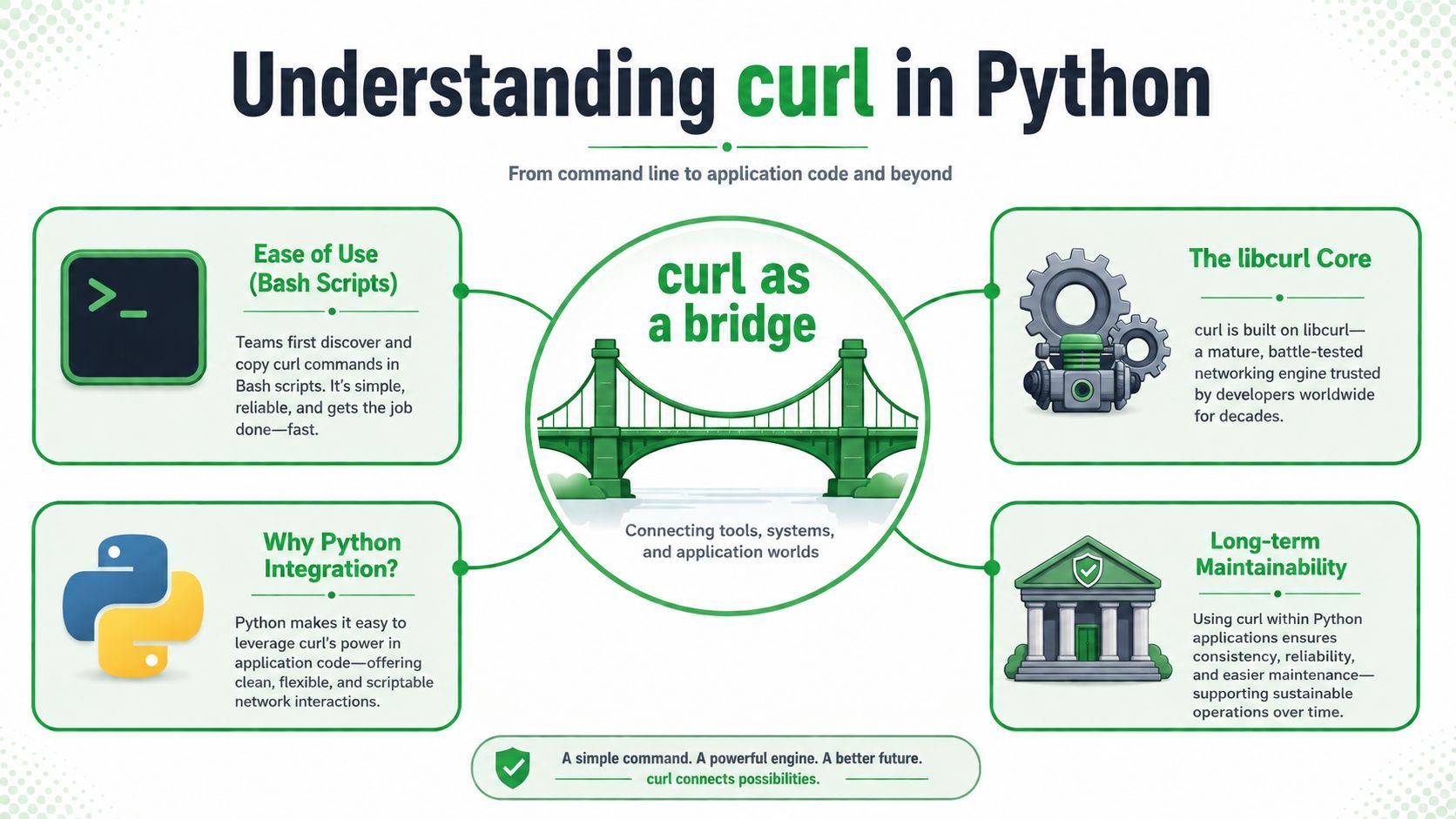
A lot of teams start by pasting a curl command into a README, then they need the same transfer logic in a service, a worker, or a media pipeline. That's where curl in Python becomes a bridge, not a brand-new HTTP stack. The underlying curl project is a long-lived, multi-protocol transfer tool, and the project itself supports HTTP, HTTPS, FTP, FTPS, IMAP, LDAP, MQTT, POP3, RTSP, SCP, SFTP, SMTP, TELNET, TFTP, WS, and WSS (curl project repository).
What actually sits underneath
The most direct Python path is PycURL, a Python interface to libcurl. It needs both Python and libcurl installed, and the project documentation shows pip install pycurl as the usual entry point (curl project repository). That matters because PycURL gives you libcurl parity, not a higher-level abstraction that hides protocol behavior.
Practical rule: if you need curl's exact transfer behavior, think in terms of libcurl features first, then decide whether Python should call that engine directly or shell out to it.
The old habit of treating curl as “just an HTTP client” leads to brittle maintenance. curl is a mature networking engine with a command-line interface and a library that many applications embed, so Python code usually fits one of two shapes, a thin wrapper around libcurl or a safe subprocess call to the curl binary (curl history overview).
What to install and why
If you want a native bridge, install PycURL and make sure libcurl is present. If you want exact parity with a tested command, use subprocess and pass arguments as a list. If you just need normal application code, the lighter choice is usually requests, because the control surface is simpler and easier to maintain (Python curl integration guide).
For teams maintaining media workflows, the primary question isn't “Can Python do this?” It's “Which layer will still be readable six months from now when the upstream API changes a header, a redirect, or a token flow?” The safer answer is to keep the transfer logic as small as possible and pick the smallest tool that still preserves the behavior you need.
Translating curl Commands into Python
curl commands look compact, but they hide a lot of operational detail. A header flag, a retry flag, and a TLS option may all matter more than the URL itself when you're dealing with signed APIs, import jobs, or media fetches behind redirects. An effective Python implementation should choose between subprocess for exact replay, PycURL for low-level libcurl parity, or requests when you can accept Pythonic abstractions (Python curl integration guide).
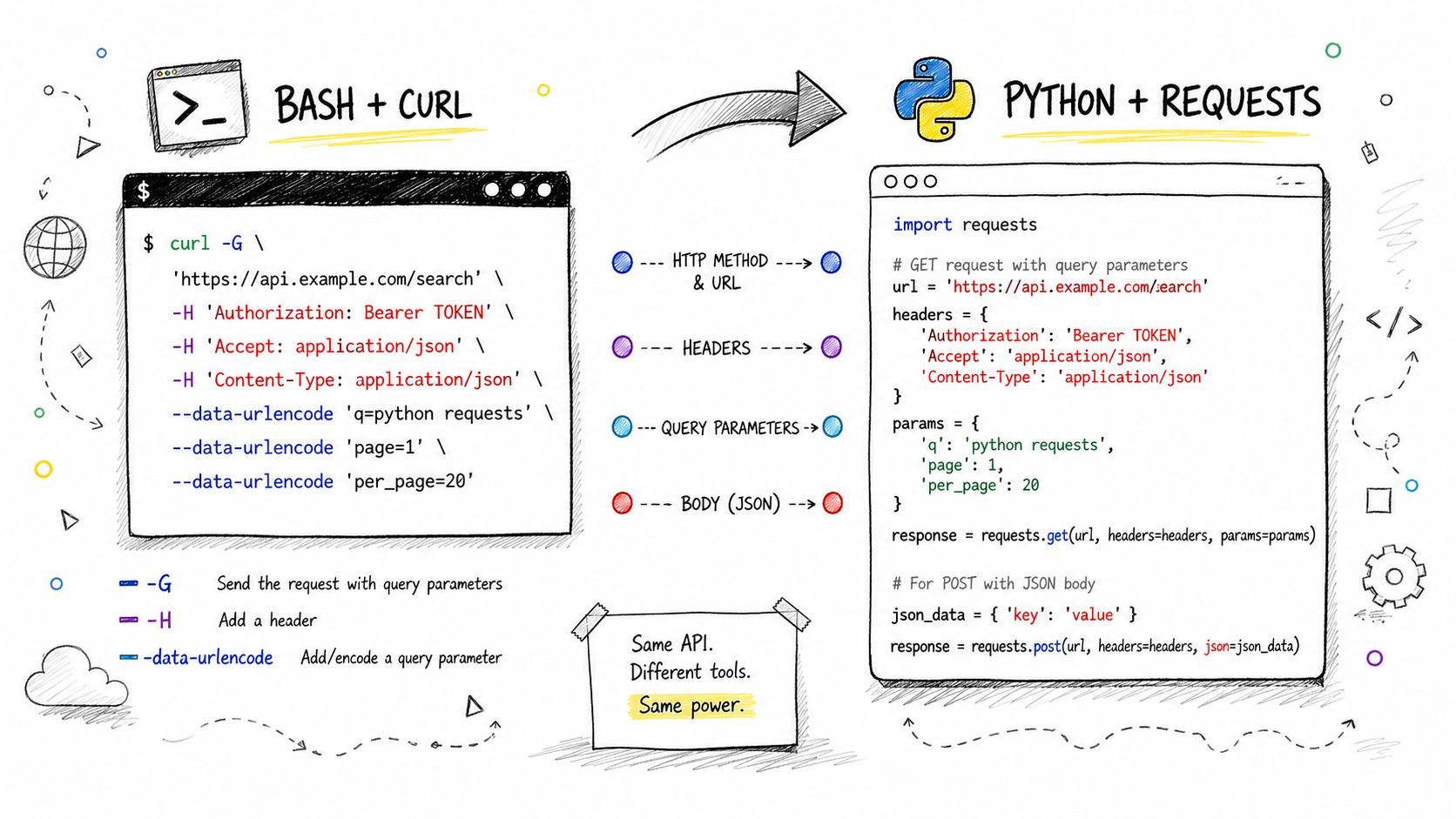
Headers, JSON, and bearer tokens
A common curl pattern is a bearer token plus JSON payload. In requests, that usually becomes a headers dictionary and a json= argument.
import requests

resp = requests.post(
    "https://api.example.com/v1/items",
    headers={
        "Authorization": "Bearer YOUR_TOKEN",
        "Accept": "application/json",
    },
    json={"name": "sample", "enabled": True},
    timeout=30,
)
resp.raise_for_status()
print(resp.json())
In PycURL, the same intent is lower level. You set options directly and manage the response body yourself.
import io
import pycurl

buffer = io.BytesIO()

c = pycurl.Curl()
c.setopt(c.URL, "https://api.example.com/v1/items")
c.setopt(c.HTTPHEADER, [
    "Authorization: Bearer YOUR_TOKEN",
    "Accept: application/json",
])
c.setopt(c.POST, 1)
c.setopt(c.POSTFIELDS, '{"name":"sample","enabled":true}')
c.setopt(c.WRITEDATA, buffer)
c.perform()
c.close()
requests is easier to read. PycURL is better when you care about libcurl behavior and want to stay close to the source of truth. That's the maintenance trade-off in practice.
Forms, multipart uploads, and exact command replay
If a shell curl command uses -F for multipart upload or relies on a very specific flag combination, subprocess is often the cleanest choice. Keep the command as a list so Python doesn't reinterpret quoting.
import subprocess

cmd = [
    "curl",
    "-X", "POST",
    "-H", "Authorization: Bearer YOUR_TOKEN",
    "-F", "file=@/tmp/media.mp4",
    "https://api.example.com/v1/upload",
]
result = subprocess.run(cmd, capture_output=True, text=True, timeout=60)
result.check_returncode()
print(result.stdout)
That pattern is especially useful when you're validating behavior against a known-good terminal command. It preserves the exact curl semantics instead of translating them into a higher-level client that might differ in small but important ways.
The same logic applies to retries and TLS settings. If the original command was tuned for a production system, keep the logic close to the command until you've proven the Python version behaves the same. For media pipelines, that's usually the difference between a reliable worker and a flaky one.
See also the practical command patterns in yt-dlp command workflows, because many ingestion pipelines start with exactly that kind of terminal-first automation.
Practical rule: translate only the parts you truly need to own in Python. If the shell command is still the contract, don't over-abstract it too early.
Running curl from Python
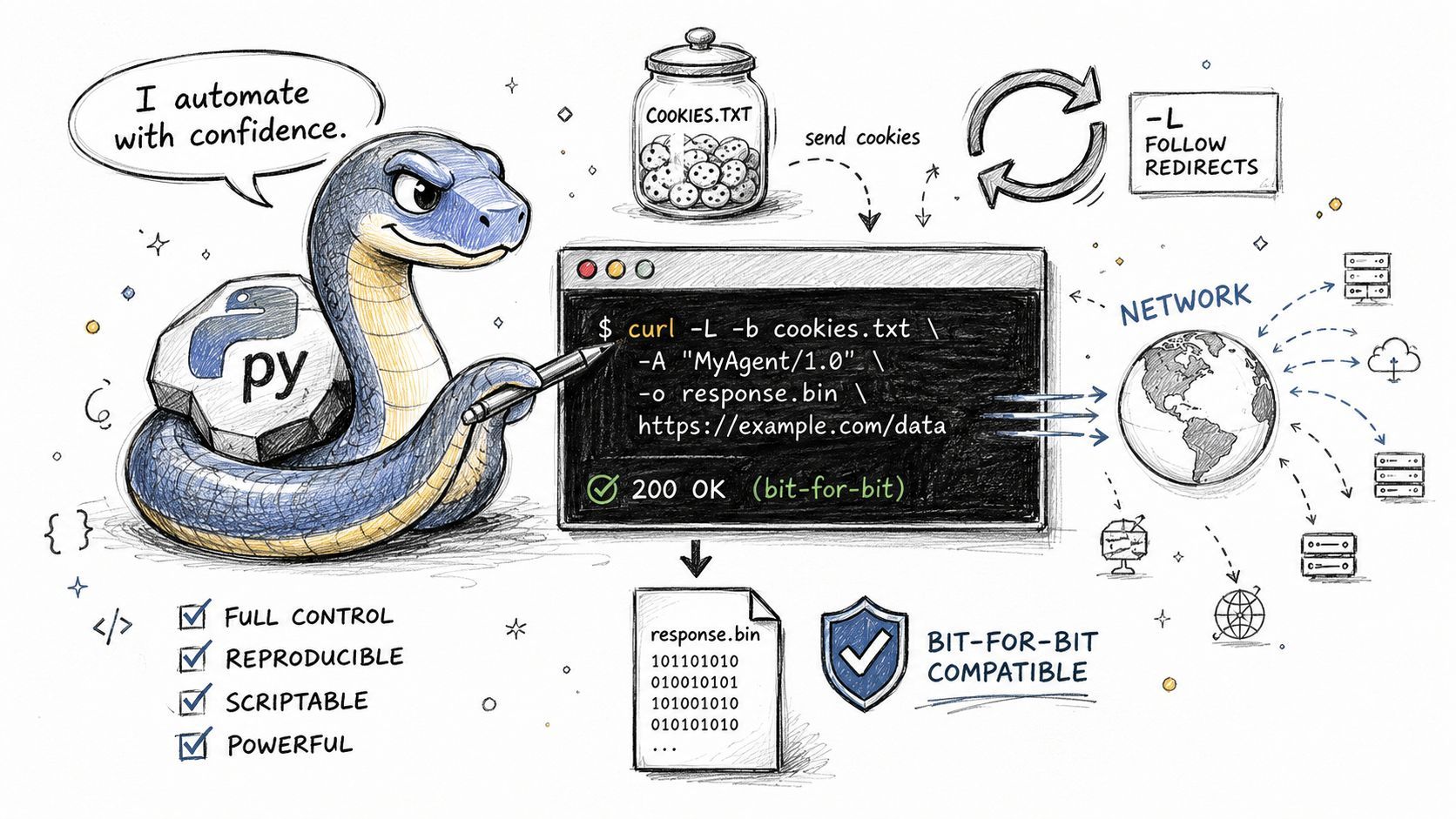
Sometimes the right move is simple, call curl directly and keep the same wire behavior you already trust. That's the best answer when you need redirect handling, cookie jars, or protocol quirks to stay identical to the command-line version. The key is to call it safely, not casually.
Safe subprocess patterns
The main rule is straightforward, use an argument list instead of a shell string. That avoids quoting bugs and makes the call much more predictable (production reliability guide).
import subprocess

cmd = [
    "curl",
    "--fail",
    "--silent",
    "--show-error",
    "--connect-timeout", "10",
    "--max-time", "60",
    "https://example.com/data.json",
]

proc = subprocess.run(cmd, capture_output=True, text=True)
if proc.returncode != 0:
    raise RuntimeError(proc.stderr.strip())

print(proc.stdout)
That pattern is easy to reason about in logs. It also gives you a clean place to enforce a timeout and classify failures without trying to decode shell syntax.
Streaming and exit codes
For larger outputs, don't buffer everything in memory if you don't need to. Stream stdout to a file or a pipe, then process it in chunks. That's especially useful for media jobs where a worker may pull metadata first, then fetch a larger file later.
import subprocess

with subprocess.Popen(
    ["curl", "--silent", "https://example.com/big-file.bin"],
    stdout=subprocess.PIPE,
    stderr=subprocess.PIPE,
    text=False,
) as proc, open("/tmp/big-file.bin", "wb") as out:
    for chunk in iter(lambda: proc.stdout.read(8192), b""):
        out.write(chunk)

    stderr = proc.stderr.read()
    if proc.wait() != 0:
        raise RuntimeError(stderr.decode("utf-8", errors="replace"))
That approach keeps memory use controlled and lets you decide how to react if curl exits non-zero. It's not as pretty as requests, but it's honest about the actual process boundary.
The reliability checkpoint matters too. Before scaling a curl-based Python job, validate the proxy and TLS behavior against a simple echo endpoint, because that's where quoting mistakes and trust-store surprises usually show up first (production reliability guide).
Managing Media Downloads in Python
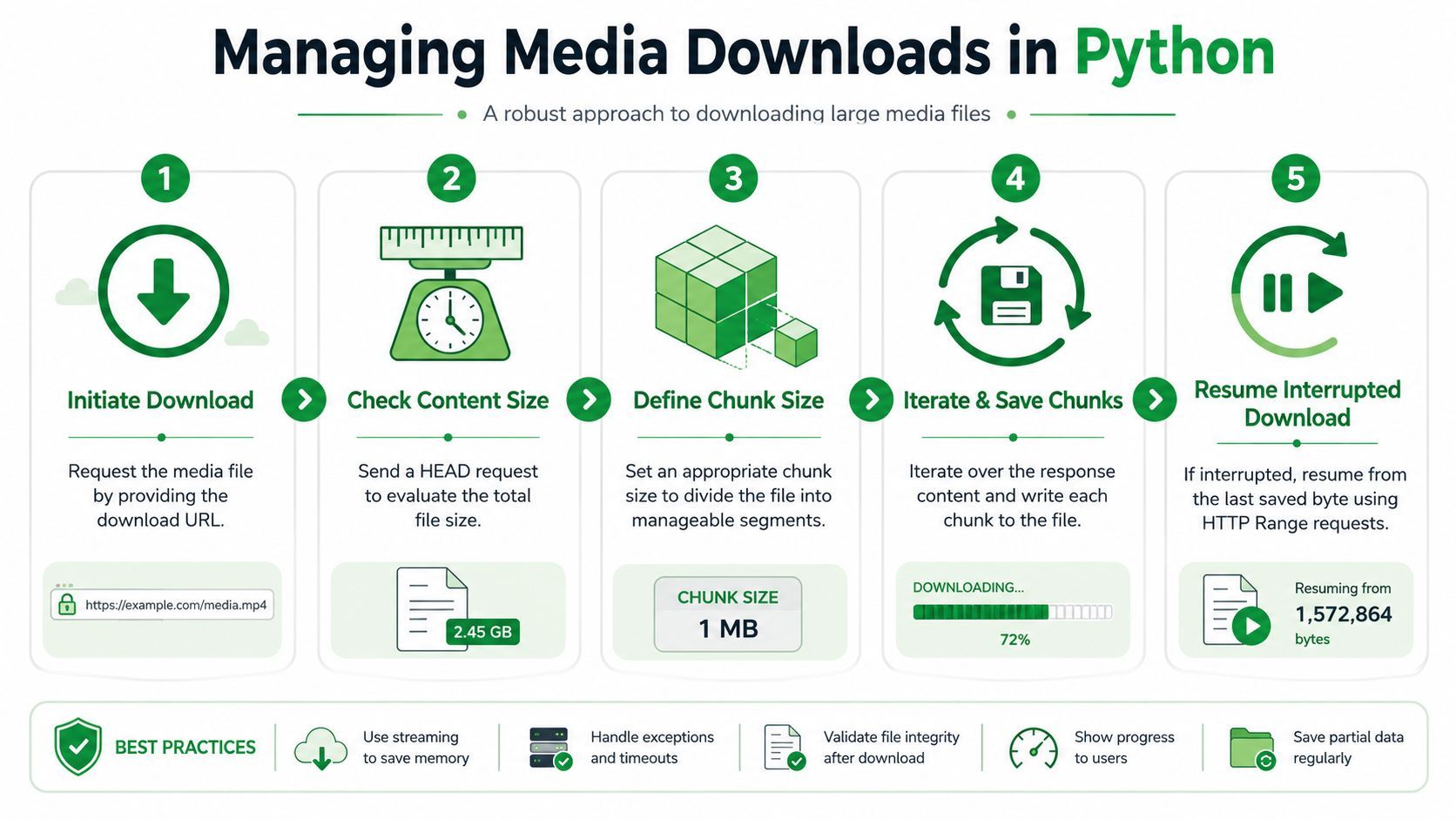
Media workflows fail in ways plain API calls don't. A download can start fine, stall near the end, or return a partial object that looks valid until a downstream processor tries to open it. The practical fix is to treat downloads as stateful operations, not one-shot requests.
Stream to disk, don't hoard bytes
For large files, write each chunk straight to disk. That keeps workers stable and makes retries cheaper because you can preserve partial progress.
import requests

url = "https://cdn.example.com/video.mp4"
tmp_path = "/tmp/video.part"

with requests.get(url, stream=True, timeout=30) as r:
    r.raise_for_status()
    with open(tmp_path, "wb") as f:
        for chunk in r.iter_content(chunk_size=1024 * 1024):
            if chunk:
                f.write(chunk)
That pattern is simple, and it's usually enough for straightforward downloads. When you need stricter transfer behavior, PycURL gives you lower-level hooks while keeping the same streaming idea.
Resume interrupted transfers
If the upstream server supports range requests, you can resume from a saved offset instead of restarting from zero. That matters when the file is large or the network is unstable.
import os
import requests

path = "/tmp/video.part"
start = os.path.getsize(path) if os.path.exists(path) else 0

headers = {"Range": f"bytes={start}-"} if start else {}

with requests.get(url, headers=headers, stream=True, timeout=30) as r:
    r.raise_for_status()
    mode = "ab" if start else "wb"
    with open(path, mode) as f:
        for chunk in r.iter_content(chunk_size=1024 * 1024):
            if chunk:
                f.write(chunk)
A worker that can resume transfers is a lot easier to operate than one that restarts every failed job. That's especially true when the job scheduler is busy and the network is not.
For teams building around asynchronous video import flows, a model like rotating proxy operations for bandwidth-heavy retrieval often exists for a reason. The implementation details may differ, but the operating principle is the same, keep the transfer state explicit.
A media pipeline should assume interruption. If a download can't resume, the retry policy is already weaker than it looks.
Keep verification separate from transfer
After the file lands, verify that the output is the size and type you expected before sending it to the next stage. A checksum, a container probe, or a simple open-and-read test can catch partial writes early. That's not fancy, but it prevents a failed transfer from looking like a successful asset.
PycURL is useful here when you need tighter control over the transfer itself, especially if you're matching libcurl behavior used elsewhere in your stack. requests is still the better default for plain application code, but media jobs often need more than the default.
Error Handling and Production Best Practices
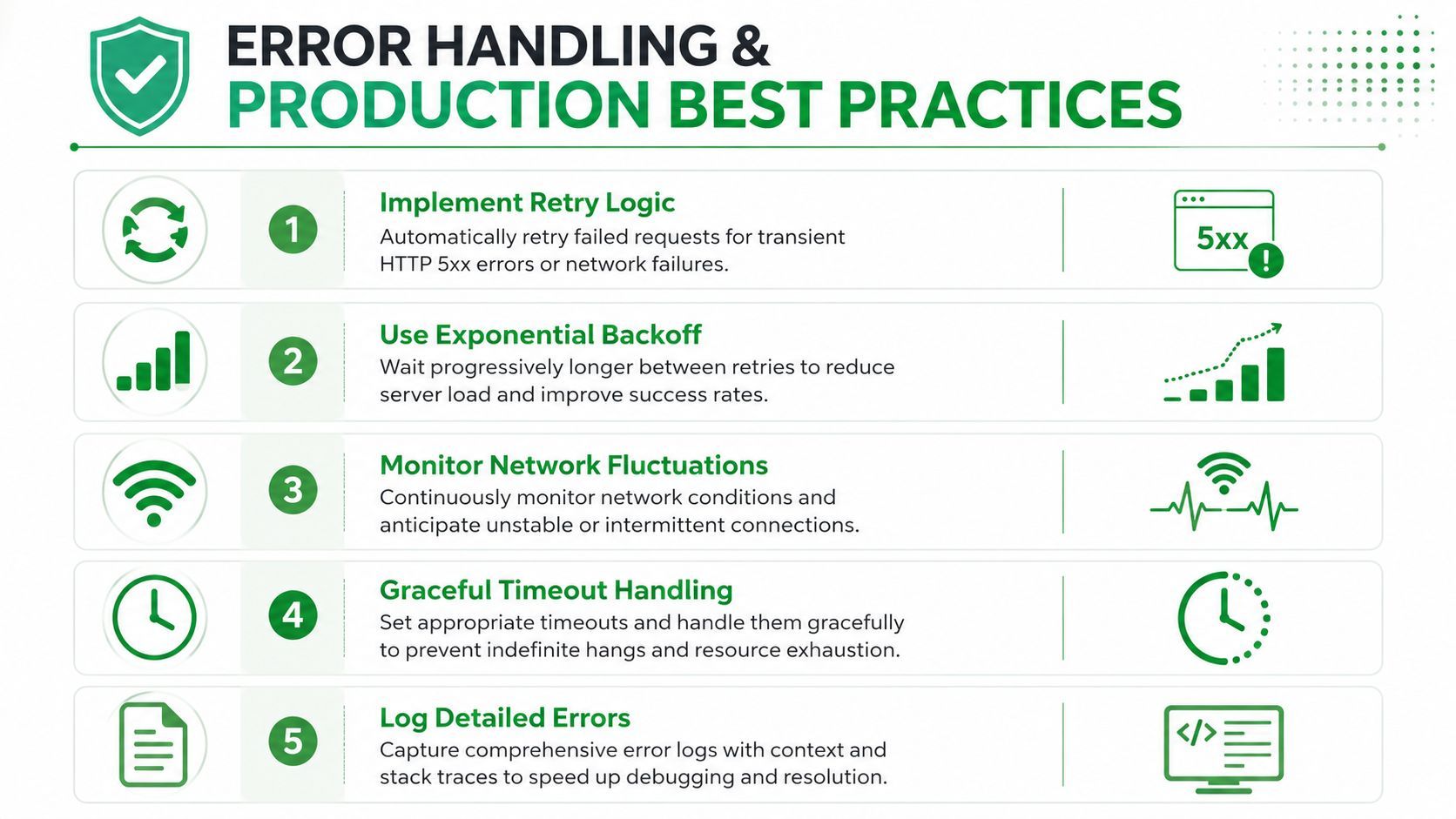
The code that works once is easy. The code that keeps working under load is what matters. In production, the biggest failures are usually not the HTTP verb, they're execution details, like quoting bugs, missing timeouts, and proxy or TLS behavior that was never checked against a simple endpoint before rollout (production reliability guide).
Classify failures before you retry
Not every failure deserves the same response. A connection timeout, a bad token, and a malformed payload need different handling in a worker or web service. A clean error taxonomy makes the retry layer much easier to trust.
For curl-style Python code, the practical split is usually:
- Transient transport failures, retry them.
- Authentication or authorization failures, fail fast.
- Request shape problems, surface them to the caller.
- Proxy or TLS mismatches, stop and inspect configuration.
That split keeps workers from hammering a broken endpoint with the wrong kind of retry. It also makes logs readable, which matters more than people admit when a job queue starts backing up.
Use explicit timeouts everywhere
A timeout is not optional. Without one, a hung worker can sit around waiting on a connection that never finishes. The production guide calls out explicit timeouts as a core reliability step, and that matches what usually breaks first in real systems (production reliability guide).
requests supports per-call timeouts. subprocess.run() supports a timeout too. curl itself has --connect-timeout and --max-time. Pick one layer and enforce it consistently.
import requests

resp = requests.get("https://example.com/status", timeout=(5, 30))
resp.raise_for_status()
That timeout tuple is a small detail with a large operational impact. Without it, a single bad network hop can monopolize a worker longer than you expect.
Validate proxy and TLS behavior early
If your environment uses proxies or custom trust settings, check them before you ship traffic. The safest pattern is to test against an echo endpoint or another low-risk target, confirm the headers and TLS path are correct, and only then scale the flow (production reliability guide).
That's the step teams often skip. They test the happy path, then discover later that a production proxy strips a header, a certificate chain doesn't match, or a redirect changes the request in a way their local machine never saw.
The broader maintenance problem shows up in most curl-in-Python tutorials, too. Many guides stop at subprocess, PycURL, or requests examples and leave out observability, retries, and lifecycle management. That gap is real, especially for long-lived media workflows where upstream behavior shifts and the client code needs to survive without constant handholding (maintainability gap analysis).
Don't use curl just because you can
There are cases where curl-in-Python isn't the right answer at all. If the workflow is bot-sensitive, session-heavy, or likely to break on cookies and redirects, the better long-term choice may be a managed service rather than a low-level client. The point isn't to avoid curl, it's to avoid pretending that a request library solves operational instability by itself (when not to use curl in Python).
For media teams, that distinction matters. If your system depends on content fetches that keep changing under you, the maintenance cost sits in retries, session state, and upstream changes, not in the HTTP call alone.
Build the retry policy around the failure, not around the code path. That's how you keep workers from turning temporary noise into permanent incidents.
Centralize the logic
Keep your transfer code in one place. That makes it easier to add logging, timeouts, retries, and request classification without duplicating the same edge-case handling across jobs. It also makes testing far less annoying because you only need to verify one path for downloads, uploads, and API calls.
A simple, centralized transfer layer is usually boring code. That's a good sign. The more boring it is, the easier it is to operate.
Conclusion and Next Steps
The best curl in Python setup is the one that matches the job. Use requests for clean application code, PycURL when you need libcurl parity, and subprocess when exact command-line behavior matters most. For media pipelines, the real win is not a fancier client, it's a transfer layer that can stream, resume, retry, and fail cleanly.
Start with one real integration, then harden the timeout, retry, and logging paths before you expand it. If your workflow depends on reliable media retrieval at scale, wire those patterns into a production service like YouTube Download API and compare the operational burden against your current stack.